Machine Throttling
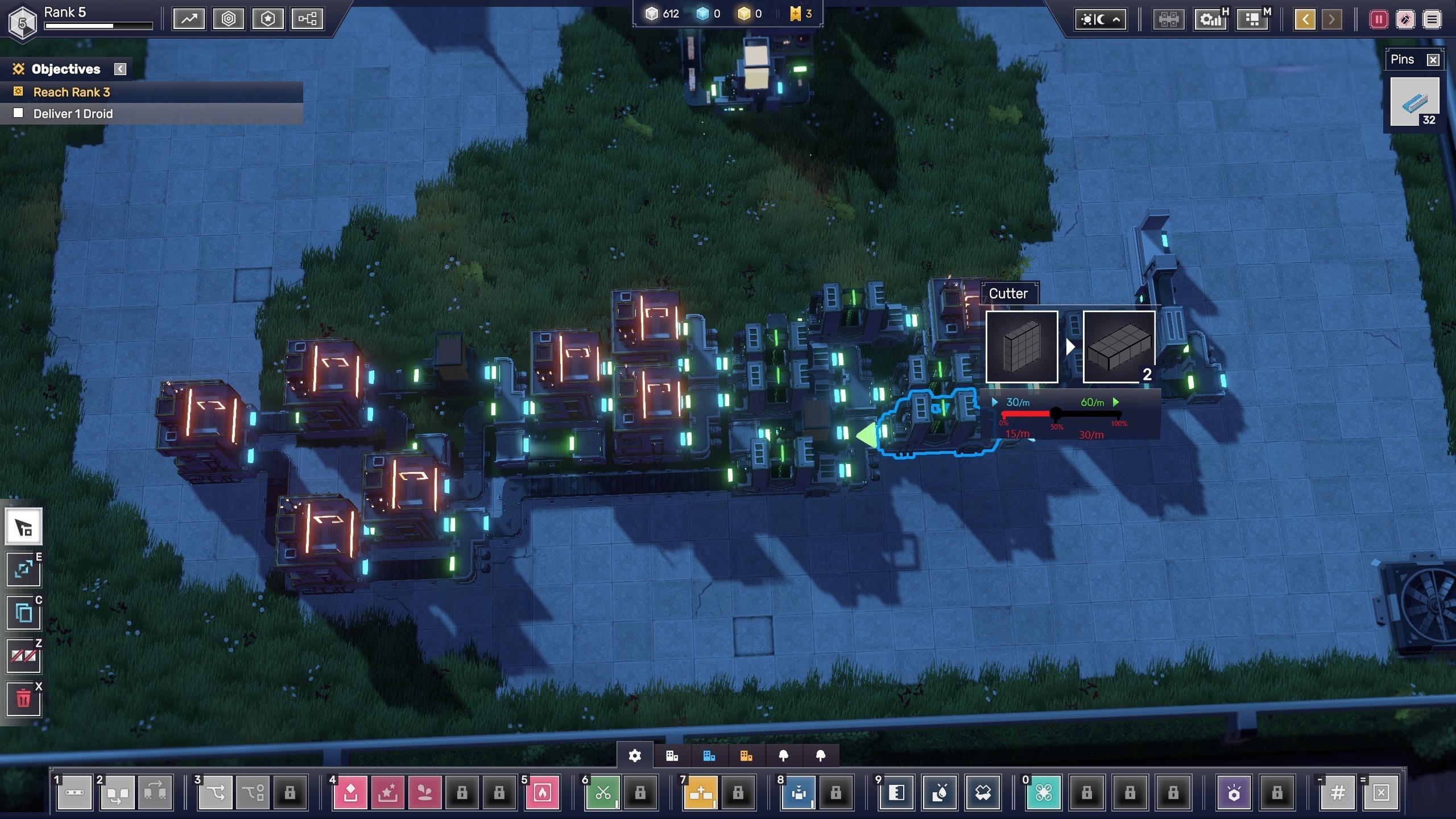
I want to be able to manually set the maximum operations/minute on a machine, such as to note to myself what the expected throughput is. Currently, the tooltip displays the machine's maximum clock speed regardless of how many operations it performs or is expected to perform. Attached is an extremely rough mockup of how it could look.
Comments: 6
Oldest
•
Newest
•
Most likes
•
Fewest likes
-
22 Apr
ScottHighlighted comment
I think it might be better to add a rate-limiter as a distinct machine, so that these artificial bottlenecks are clearly visible in the game world itself.
A fairly clean way of doing this would be to add rate-limit functionality to the belt-counter. In "limiter mode," the number would appear in yellow or maybe orange text. -
06 Apr
KodiThis is extremely useful for troubleshooting efficiency, as sometimes we would expect an operator to be running at half capacity. Using machine throttling would allow us to more easily see when an operator is performing below its expected throughput, rather than performing below its maximum throughput.
Tacking onto this: An icon that signals to the player that the operator is being throttled would also be nice, so that we don't forget the operator has been throttled later. -
10 Apr
TunichtgutThat would be very useful in conjunction with the efficiency view. Currently, some buildings are not displayed in green, even though they are functioning as intended and that's how it was planned.
-
14 Apr
Mellstar+1 Just to expand if a machine is throttled I'd like to see said machine turn green in the efficiency viewer when its reaching whatever output you've set. Making it easier to debug because you're not distracted by the sea of red/orange machines that are only that way because you're intentionally not using the full throughput of the machine. Which happens a lot in my experience.
-
26 Apr
ChronoTactIXThis feels like a way to just eliminate the entire efficiency puzzle and would cheapen the reward of seeing that all green result.
-
27 Apr
Thomas Giles (tapgiles)I see it more as you are choosing to make a building *less* efficient. Not to automatically make it 100% efficient. The point was that for some setups you may choose to under-utilise a processor--so that it *can't* get to green efficiency. So you will not get that satisfaction of getting to green--by choice. It's for people who want to use the efficiency view to draw their attention to problems, but they know that certain buildings are by design under-utilised and not a problem, so they don't want it showing up as non-green. (I'm not one of those people and I'm guessing you are not either.) Maybe it could instead show it in grey or blue, something showing it's being under-clocked in screenshots.